
Most terminal coding agents converge on roughly the same feature set: read files, edit files, run commands, call an LLM. Kimi Code CLI is Moonshot AI's entry in that space, built around its own Kimi models — and it distinguishes itself less on the basics than on a few specific choices: a genuinely fast single-binary install, first-class support for driving a session from inside an editor, and a video-input capability most coding agents simply don't have.
Single-Binary Distribution Removes a Whole Class of Setup Friction
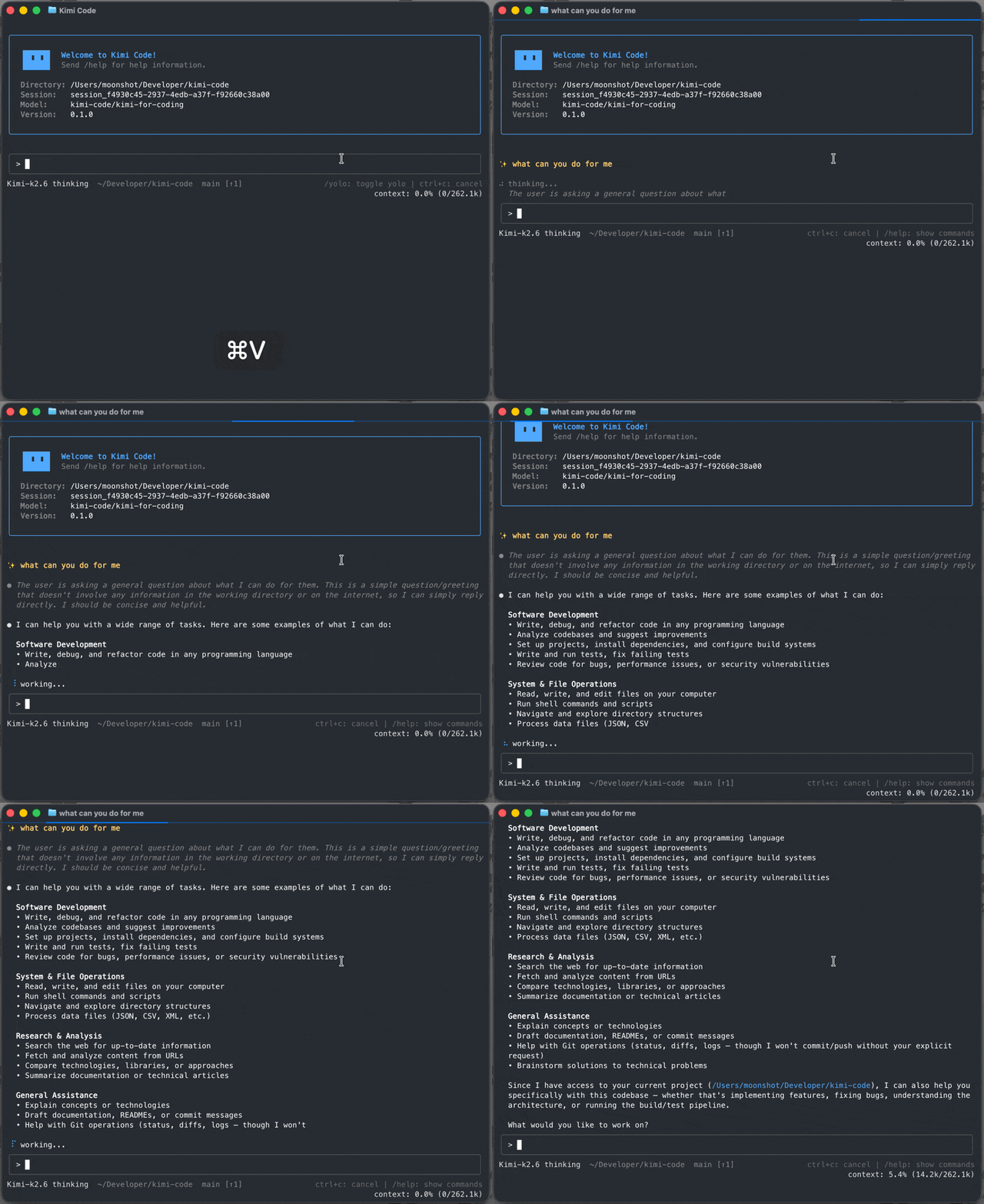
Kimi Code CLI installs via a single shell script with no Node.js requirement — curl ... | bash on macOS/Linux, an equivalent PowerShell one-liner on Windows. That sounds like a small thing until you've dealt with the alternative: global npm module conflicts, PATH issues, and version mismatches are a real source of friction for CLI tools distributed as Node packages. Bundling as a single binary sidesteps that category of problem entirely, and the project backs it with a stated "ready in milliseconds" startup target for the TUI.
Video Input Is the Feature Worth Noticing
Most coding agents accept text and, at best, static images. Kimi Code CLI lets you drop a screen recording or demo clip directly into the chat and has the agent watch it — turning a reference clip into a LUT, a long video into a short edit, or a screen recording of a bug into working code. That's a genuinely different input modality than the rest of the terminal-agent field is working with, and it maps directly onto workflows that are painful to describe in text: "make it look like this" is often much easier to show than to write.
Agent Client Protocol Support Means It's Not Locked to Its Own TUI
Kimi Code CLI speaks the Agent Client Protocol via kimi acp, which lets ACP-compatible editors — Zed and JetBrains IDEs, specifically — drive a session directly over stdio, reusing the same login as the standalone CLI. This matters for the same reason ACP support matters generally: it decouples the agent's reasoning and tool-use engine from any single interface, so a team standardized on Zed or JetBrains doesn't have to give up its editor to use Kimi's models as a coding agent.
Subagents, Hooks, and a Trust-Labeled Plugin Marketplace
Beyond the core loop, Kimi Code CLI ships three built-in subagents — coder, explore, and plan — that run in isolated contexts so a broad exploration or planning pass doesn't pollute the main conversation's context window. Lifecycle hooks let you run local commands at key points to gate risky tool calls, audit decisions, or trigger notifications, which is the same pattern most serious agent harnesses converge on once "let the agent run shell commands unsupervised" stops being acceptable by default. The plugin marketplace for skills, MCP servers, and data sources surfaces each install's trust level up front — a small but meaningful detail, since MCP servers and skills are code you're choosing to let an agent execute on your behalf.
Its Terminal UI Is Built on Someone Else's Well-Regarded Foundation
The README credits pi-tui — the terminal UI library from earendil-works' Pi project — as the base its own TUI is built on, with an explicit thanks to its authors. That's a useful data point on its own: pi-tui is being reused as infrastructure by a major model lab's own CLI tool, which says something about how solid that particular piece of open-source tooling actually is, independent of anything specific to Kimi Code itself.
AI-Native MCP Configuration Skips the JSON Editing
Most coding agents treat MCP server setup as a config-file problem: find the right JSON schema, add a server block, restart, hope you didn't fat-finger a path or a token. Kimi Code CLI's /mcp-config command handles this conversationally instead — add, edit, and authenticate MCP servers from inside a running session, without opening a config file at all. Paired with the trust-labeled plugin marketplace, the two riskiest parts of extending an agent — granting a new tool access to your workspace, and getting the connection details right — both go through the same guided interface instead of hand-edited JSON that's easy to get subtly wrong.
A Web Interface Sits Alongside the Terminal UI
The TUI isn't the only surface Kimi Code CLI ships. There's also a web interface with its own session list, model picker, and background-task handling, and recent releases have been actively refining it: a flat view was added to the session sidebar, a persistent failure card with one-click resume now stays visible when a model request fails mid-conversation, and the working indicator shows retry progress (attempt N of M) during automatic retries instead of looking stalled. Session listings also now preserve how a turn ended — completed, cancelled, or failed — across server restarts, so a client can flag a previously failed session before anyone reopens it.
Background tasks and subagents run independently of the main conversation turn, and that independence is enforced deliberately: a recent fix addressed kimi -p, the non-interactive scripted invocation, exiting right after the main turn instead of waiting for background tasks and subagents to actually finish. That matters specifically for anyone driving Kimi Code CLI from a script or CI job rather than a live session — the fix means scripted runs now wait for the full picture before the process exits.
Computer Use and WebBridge Extend the Agent Past the Terminal
Beyond editing files and running shell commands, Kimi Code CLI ships an installable Kimi Computer Use capability, available from /plugins (with Windows x64 support added in a recent release alongside clearer error reporting when setup fails). A companion browser extension, Kimi WebBridge, extends the agent's reach into the browser — the CLI now surfaces install links and activation steps directly after you add it. Both are optional installs rather than defaults, which fits the project's broader pattern of surfacing capability and trust level up front instead of quietly enabling higher-risk tool access.
Built With Node.js, Shipped Without It
There's a deliberate split between how Kimi Code CLI is developed and how it's distributed. Contributing to the project requires Node.js 24.15.0 or newer and pnpm 10.33.0, with the usual monorepo toolchain — pnpm dev:cli to run the CLI from source, pnpm test, pnpm typecheck, oxlint for linting, pnpm build to build all packages. None of that reaches the end user: the published binary embeds everything a curl | bash install needs, which is exactly the "install with no Node.js required" pitch delivering on itself rather than just being marketing copy for the README.
Practical Implications
- The video-input feature is worth testing on real UI or motion-graphics tasks before assuming it's a novelty — turning a screen recording into working code or a clip into a LUT is a specific, practical use case, not a generic multimodal demo.
- ACP support is the detail that matters for editor-committed teams. If your team already standardized on Zed or JetBrains,
kimi acpavoids the usual trade-off of switching to a dedicated terminal just to get a stronger coding agent. - Review plugin trust levels before installing from the marketplace or a GitHub repo — the surfaced trust indicator is a real safety feature, but it only helps if you actually read it before granting an MCP server or skill access to your workspace.
- The release cadence (frequent, detailed changesets) is a good signal to track directly if you adopt this — Moonshot AI is shipping fixes and features at a pace worth watching via the repo's releases rather than assuming point-in-time behavior is stable.
Practical Takeaway
Kimi Code CLI is a well-built entry in an increasingly crowded terminal-coding-agent field, differentiated less by having a fundamentally different architecture and more by a handful of concrete, practical choices: frictionless single-binary install, ACP editor integration instead of a captive TUI, and a video-input capability that opens up workflows text-only agents can't touch. For teams already invested in Kimi models, or evaluating terminal AI coding agents more broadly, it's a serious option worth putting next to the field rather than a me-too clone.
Teams evaluating AI coding agent tooling, or building editor and MCP integrations around one, can get hands-on architecture help from Woyce Technologies.
FAQ
What is Kimi Code CLI?
Kimi Code CLI is Moonshot AI's open-source terminal coding agent — it reads and edits code, runs shell commands, searches files, fetches web pages, and works with Moonshot AI's Kimi models by default (as well as other compatible providers).
What makes Kimi Code CLI different from other terminal coding agents?
A single-binary install with no Node.js requirement, native Agent Client Protocol support for driving sessions from Zed or JetBrains, and a video-input feature that lets the agent watch a screen recording or demo clip as part of a task — a capability most terminal coding agents don't offer.
Can I use Kimi Code CLI inside my IDE instead of the terminal?
Yes, via the Agent Client Protocol (kimi acp). ACP-compatible editors like Zed and JetBrains IDEs can drive a Kimi Code CLI session directly, reusing the same login as the standalone CLI.
What are Kimi Code CLI's built-in subagents?
Three: coder, explore, and plan, each running in an isolated context so exploration or planning work doesn't consume the main conversation's context window.
Is Kimi Code CLI free to use?
The CLI itself is MIT-licensed and open source. Using it requires either Kimi Code OAuth login or a Moonshot AI Open Platform API key to access the underlying models.
What is Kimi Code CLI's terminal interface built on?
Its TUI is built on top of pi-tui, the terminal UI library from the Pi coding agent project, which the README explicitly credits.
Does Kimi Code CLI have a web interface, or is it terminal-only?
Both — alongside the TUI, it ships a web interface with its own session list, model picker, and background-task status handling, which has received active updates like a flat sidebar view and persistent failure cards with one-click resume.
What is Kimi Computer Use in Kimi Code CLI?
It's an installable capability, available from /plugins, that extends the agent beyond file edits and shell commands. It's an optional install rather than a default, in keeping with the project's pattern of surfacing capability and trust level up front.
Can I configure MCP servers without editing JSON by hand?
Yes — the /mcp-config command lets you add, edit, and authenticate MCP servers conversationally from inside a session, rather than hand-editing a configuration file.
What do I need to build Kimi Code CLI from source?
Node.js 24.15.0 or newer and pnpm 10.33.0. That's separate from using the CLI itself, which installs as a self-contained binary with no Node.js requirement.